

Built to support the way your team gets work done.

Helping teams to get answers and take action.

Internal support for knowledge, onboarding, requests, approvals, workflows, and everyday decisions grounded in your systems and built around how your team works.

Map an Employee Workflow
  • Knowledge
  • Requests
  • Approvals
  • Handoff

What is an Employee Support Agent?

Trusted Internal Support

Gathers approved company knowledge, prepares routine work, and brings in a person when judgment matters.

Employee Support Agents are one application of agentic workflow automations, helping internal work move through approved steps while keeping human judgment in the loop.

Map Your First Employee Workflow
  • Approved knowledge
  • Permission-aware
  • Human connected
Employee works on a laptop as an AI agent organizes files, prepares tasks and checks finished steps.
  1. 01Gather contextApproved information is collected for the task.
  2. 02Prepare the workThe agent organizes inputs and drafts next steps.
  3. 03Review when neededHuman judgment stays in the loop for sensitive work.

Where employee support agents help

Helping Your Team Find Answers
and Take Action

Helping your team take action, have consistent communication, remove delays, and make sure that work stays visible and organized throughout the entire process.

Find a Workflow to Improve
Two colleagues discussing information and sharing documents in an office

Information & Documents

01 / ROLE READINESS

Get employees ready to contribute.

Employee support agents provide relevant previous information, help employees understand company policies, and create clear next steps where work begins to slow down. They improve efficiency in information-heavy processes while guiding your team toward the right action.

Support onboarding

An employee working at a laptop with request and approval workflows displayed behind him

Requests & Approvals

02 / REQUEST MOMENTUM

Unblock the work in front of them.

Employee support agents help with HR questions and employee requests, including tool, software, and access requests. They gather missing details, identify the approved process, and handle internal approvals and request routing. They keep status and ownership visible so requests do not get lost and the right person receives the context needed to review or approve the next step.

Move requests forward
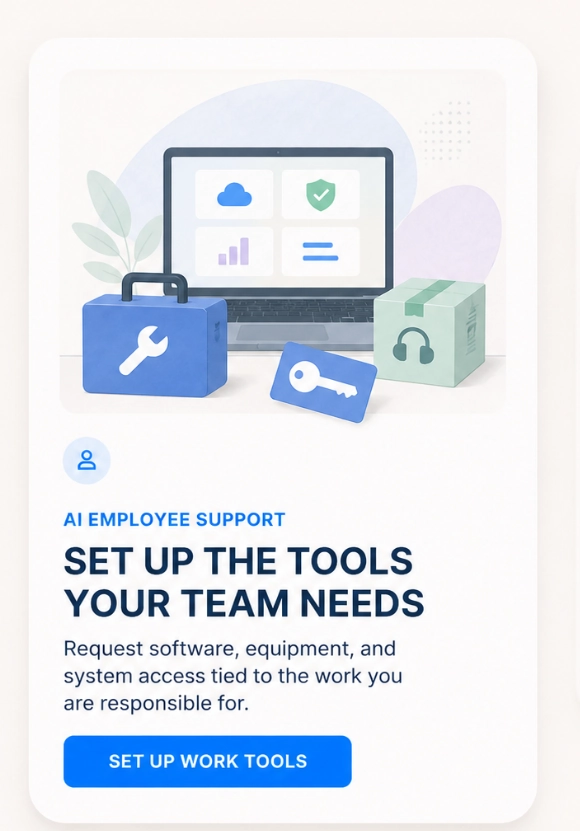
Approved tools, equipment, and permissions prepared for an employee's work

Tasks & Team Coordination

03 / TOOL ACCESS

Set up the tools the work requires.

Employee support agents organize tasks and checklists, keep responsibilities and deadlines visible, and share relevant updates between teams. They support cross-department task coordination and task prioritization across teams, helping coordinate handoffs, flag dependencies, and clarify what needs to happen next so work can move forward.

Map tool requests
Connected documents, messages, and team updates flowing along a colorful path

Onboarding & Everyday Guidance

04 / CROSS-TEAM FLOW

Keep work moving across teams.

Employee support agents provide employee onboarding support, helping new team members understand their role, find approved guidance, and follow the steps needed to get started. They offer company policy and procedure guidance alongside process guidance and next steps, helping employees navigate unfamiliar tasks and know when to ask a person for help.

Coordinate a workflow

01 / 07

Approved Knowledge Sources

The agent finds the approved policies, guides, records, and previous requests relevant to the task.

02 / 07

Request Context and Employee Role

It checks the employee’s role, request, department, and any missing context.

03 / 07

Permission and Business Roles

It checks permissions, approvals, and restricted actions before preparing the next step.

04 / 07

Preparing the Next Step

The result is a clearer path to completion, guided by the correct process, without having to chase answers across the business.

05 / 07

Missing or Conflicting Information

If policies conflict, information is outdated, required details are missing, or the request does not match the approved process, the agent does not simply guess. It identifies the issue and asks for clarification or routes it for review.

06 / 07

Human Review and Escalation

When a request requires judgment, approval, sensitive access, or exceptions to the normal process, the agent pauses the automated step and sends the relevant context to the appropriate person.

07 / 07

Traceable Actions and Handoff

The workflow can record the information used, actions prepared or completed, approved requests, and points where a person took over. This helps the team understand what happened and improve the process over time.

Two Kinds of Support. One Connected Business.

Both help people get answers and move work forward. The difference is who they support, the information they use, and the actions they are allowed to take.

Customer Support Agents

Support the people buying from or working with your business.

Who they help
Customers and clients looking for answers, updates, or help with a request.
What they work with
Approved service information, customer records, booking details, and support history.
Where they can help
Answering service questions, gathering request details, coordinating appointments, and routing issues.
When people step in
For exceptions, sensitive requests, or decisions outside the agent’s approved permissions.
Explore Customer Support Agents

Employee Support Agents

Support the people doing the work inside your business.

Who they help
Employees and internal teams looking for knowledge, guidance, or the next step.
What they work with
Approved policies, internal documents, project information, and role-based access.
Where they can help
Finding internal answers, preparing requests, supporting onboarding, and coordinating approved handoffs.
When people step in
For approvals, restricted information, or decisions that need a manager or another responsible person.
Discuss an Employee Workflow

In both cases, the workflow should stay within approved access, actions, and human review points.

Employee support agents

Questions before the work moves forward.

Clear answers about what an employee support agent can do, what it can access, and when a person stays responsible.

01What is an AI employee support agent?

An AI employee support agent helps people complete internal work by using approved company knowledge, organizing the request, preparing routine actions, and routing exceptions to the right person.

02What work can an employee support agent help complete?

It can support onboarding, access requests, tool and equipment setup, internal processes, approvals, records, and work that needs context to move between teams.

03Can it complete work instead of only answering questions?

Yes. Depending on the approved workflow, it can answer, retrieve information, prepare work, start a permitted action, or keep the request moving until the next owner has what they need.

04How does it know which company information to use?

The agent works from approved policies, process guides, directories, internal documentation, and connected records. It can surface the relevant source instead of presenting an entire document without context.

05How do permissions and human handoff work?

Before retrieving information or taking action, the agent checks access, ownership, and the allowed workflow. Sensitive, ambiguous, or exceptional requests stay visible and move to the right human.

06What happens when company information is outdated or conflicting?

The agent can consider source freshness and ownership, flag conflicting guidance, and make the documentation gap visible instead of presenting uncertain information as a confident answer.